
 Join our Discord
![[QBCore] Advanced banking system - dw-banking V2](https://dunb17ur4ymx4.cloudfront.net/packages/images/aa5c345885536768edb844ba728cac3215348f8b.png)
🏦 DW BANKING - Advanced FiveM Banking System
The Most Complete Banking Solution for Your FiveM Server
Transform your server's economy with our feature-rich, professional banking system that provides players with a realistic and immersive financial experience. Built with modern UI/UX design and packed with advanced features that will enhance your roleplay server.
✨ KEY FEATURES
🏛️ COMPREHENSIVE BANKING SYSTEM
Youtube Preview - https://www.youtube.com/watch?v=8UyJGoJPqFw
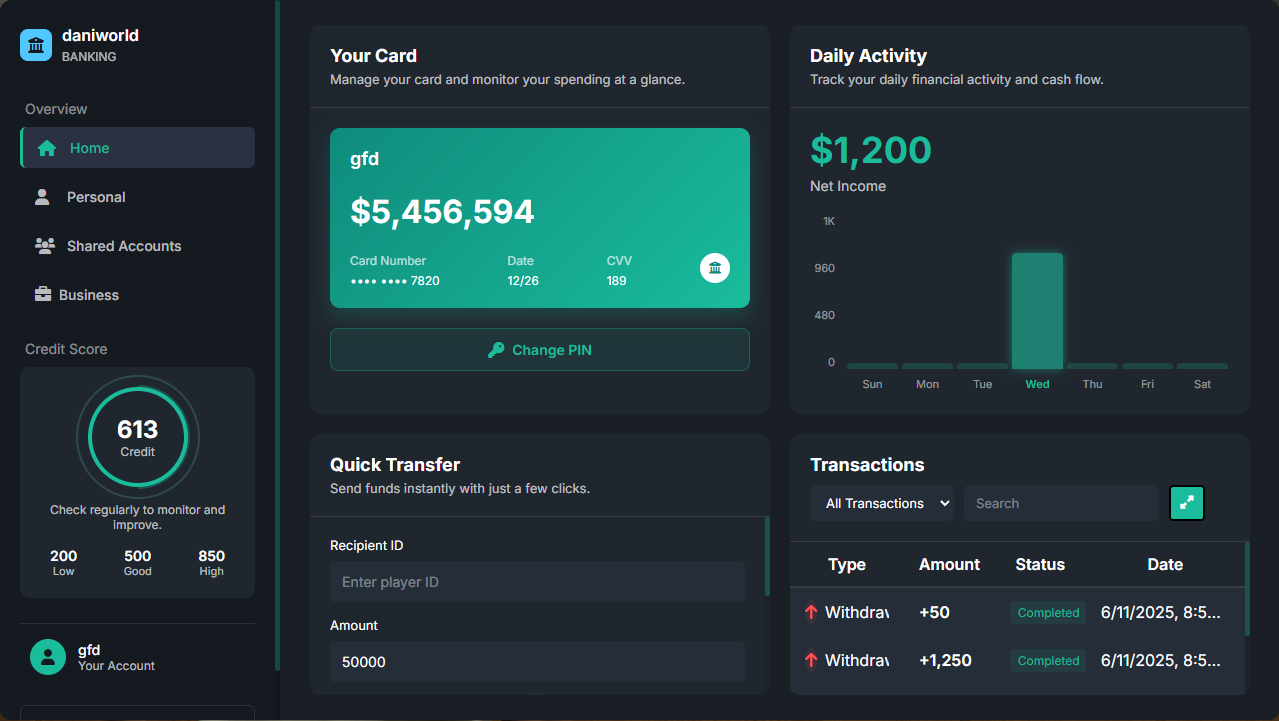
- Modern Banking Interface - Beautiful, responsive UI with smooth animations
- Real-time Balance Updates - Instant transaction processing and balance updates
- Transaction History - Complete record of all financial activities with filtering options
- Multi-location Support - Banks and ATMs throughout the map
- Mobile-responsive Design - Perfect display on all screen sizes
💳 PHYSICAL BANK CARDS & ATM SYSTEM
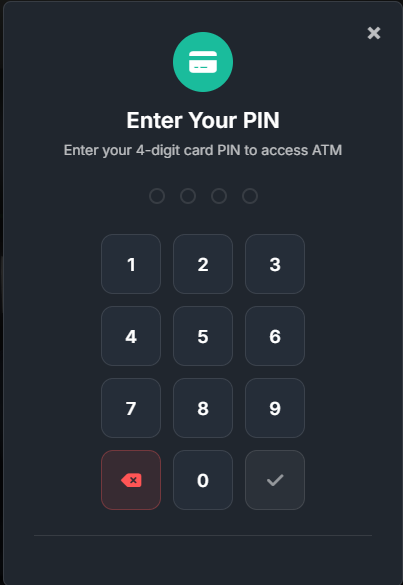
- Physical Bank Cards - Request, replace, and manage physical bank cards
- Secure PIN System - 4-digit PIN protection with attempt limits and temporary blocks
- ATM Network - Full ATM support with card verification
- Card Management - Change PINs, request replacements, track usage
- Anti-fraud Protection - Automatic card blocking after failed attempts
📊 CREDIT SCORE SYSTEM
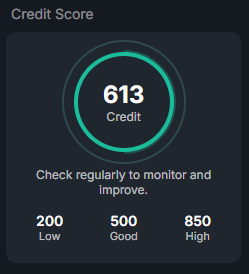
- Dynamic Credit Scoring - Realistic credit score calculation (300-850 range)
- Multiple Factors - Based on transaction history, account balance, and activity
- Credit-based Access - Different features unlock based on credit score
- Regular Updates - Automatic credit score recalculation
- Integration Ready - Export functions for other scripts to check credit scores
👥 SHARED ACCOUNTS
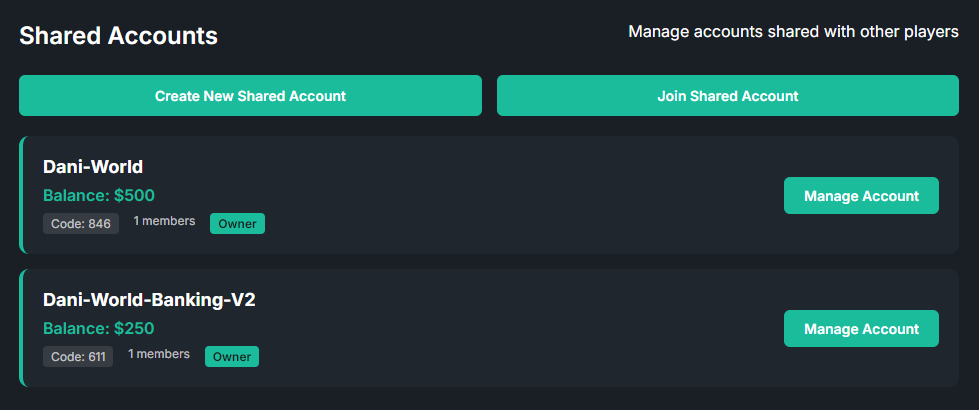
- Multi-player Accounts - Create and manage accounts with multiple members
- Permission Levels - Owner and member roles with different access rights
- Join System - Secure code-based invitation system
- Member Management - Add, remove, and manage account permissions
- Separate Transaction History - Dedicated tracking for shared account activities
🏢 BUSINESS BANKING
[Image placeholder: Business banking interface showing society accounts]
- Society Accounts - Full support for job-based business accounts
- Boss Management - Restricted access for business owners only
- Business Transactions - Separate tracking for business-related activities
- Employee Access Control - Role-based permissions for different job ranks
- Business Analytics - Comprehensive reporting for business finances
📈 ADVANCED ANALYTICS
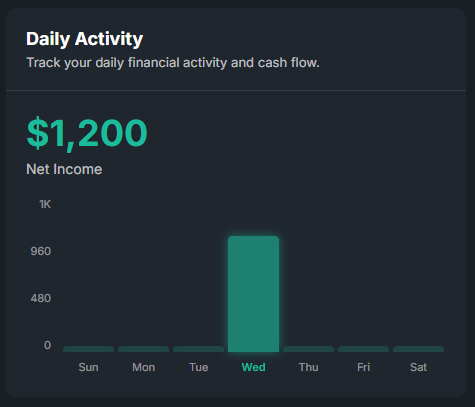
- Daily Spending Charts - Visual representation of daily financial activity
- Weekly/Monthly Reports - Comprehensive financial tracking
- Transaction Categorization - Organized transaction types and filtering
- Financial Insights - Smart analytics to help players understand their spending
- Export Capabilities - Integration with other economy scripts
🛠️ TECHNICAL SPECIFICATIONS
Framework Support
- ✅ QBCore - Full native support
Target System Compatibility
- ✅ qb-target - Native integration
- ✅ ox_target - Full support
- ✅ Custom Target Systems - Easy integration
Database Integration
- 🗄️ MySQL - Optimized database structure
- 🔒 Secure Transactions - Protected against SQL injection
- ⚡ High Performance - Optimized queries for large servers
- 📊 Data Integrity - Complete transaction logging
UI/UX Features
- 🎨 Modern Design - Clean, professional interface
- 📱 Responsive Layout - Works on all screen resolutions
- ⚡ Smooth Animations - Professional loading screens and transitions
- 🎯 Intuitive Navigation - User-friendly menu system
- 🌙 Dark Theme - Easy on the eyes for long sessions
🔧 INSTALLATION & SETUP
Easy Installation Process
- Drag & Drop - Simple file installation
- Database Import - One-click SQL import
- Configuration - Easy config file setup
- Ready to Use - Start using immediately after installation
Customization Options
- 🎨 UI Customization - Colors, themes, and layout options
- 💰 Economy Settings - Adjustable fees, limits, and requirements
- 🏦 Location Management - Add custom bank and ATM locations
- ⚙️ Feature Toggle - Enable/disable specific features as needed